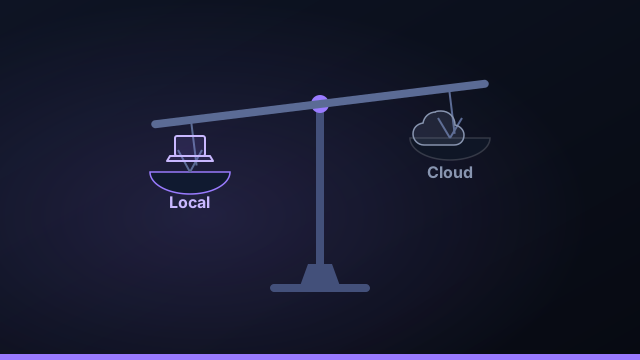
The local-versus-cloud debate for AI coding agents is usually argued with the wrong assumption baked in: that local means manual and cloud means autonomous. In 2026 that's simply not true. Here's an honest accounting of the tradeoffs that actually differ.
The tradeoff everyone assumes
The myth is "local = manual, cloud = autonomous." But autonomy is a property of the orchestration loop, not of where it runs. An orchestrator on your machine can plan, parallelize, review, and merge just like a hosted one. Once you drop that false dichotomy, the real differences come into focus.
Confidentiality: where your code lives
This is the big one. With local-first, your source sits on your disk and only the snippets the model needs leave — via the same agent CLI you'd run in a terminal. With cloud, your repository is uploaded to and read on someone else's infrastructure. For a side project that's fine; for client work it's a conversation you have to have.
Control and lock-in
Local data means no lock-in: your projects are git folders and your task history is a file on disk. Stop paying and you keep everything. Cloud tools keep your history in their database, which is convenient until you want to leave.
Ask any tool one question: "if I cancel tomorrow, what do I keep?" Local-first answers "all of it."
Performance and autonomy
Speed is a wash — the model call dominates, and that's identical either way. Autonomy is also a wash, as established. The one honest local trade-off is uptime: your machine has to be on to run, where a cloud agent keeps going while you sleep.
When cloud actually makes sense
If you genuinely need runs to continue while your machine is off, or you want zero local setup on a locked-down device, cloud earns its place. Be clear-eyed about the cost: your source and orchestration live on someone else's servers. For most builders shipping real products, that trade isn't worth it.
Side by side
| Dimension | Local-first | Cloud |
|---|---|---|
| Code stays on your machine | Yes | Uploaded |
| Autonomous build loop | Yes | Yes |
| No lock-in | Yes | Their DB |
| Runs while machine is off | No | Yes |
Local-first isn't a feature you give up autonomy for — it's the same autonomy, with your data at home.
Which to choose for common scenarios
The local-first versus cloud decision is easiest to make scenario by scenario. For a weekend side project, either is fine — pick whatever gets you running fastest. For client work, local-first is usually the answer, because "the code stays on my machine" is a far simpler confidentiality story than explaining a chain of cloud services. For a small team shipping a product, local-first keeps each member's code and keys on their own machine while still supporting an autonomous build loop, and avoids putting your whole codebase in a vendor's database. For regulated or security-conscious organizations, local-first is often the only option a security review will approve. The one scenario that genuinely favors cloud is work that must continue while your machine is off — long-running, unattended jobs you want progressing overnight. Match the choice to the scenario and the trade-offs become obvious.
Can you have both?
To a degree, yes — and the key is to be deliberate about it. You might do the bulk of your AI coding locally for confidentiality and ownership, while reaching for a cloud agent only for the occasional always-on job. What matters is knowing where your source actually goes in each case. With a local-first orchestrator, your repositories never leave your disk and only the agent CLI you chose talks to its provider; with a cloud tool, your code is uploaded and read on someone else's infrastructure. There's no shame in using both, as long as the sensitive code stays local and you reserve the cloud for work that's genuinely fine to run elsewhere. The mistake is drifting into cloud-by-default without realizing your client's codebase now lives in three different vendors' systems.
Moving from a cloud agent to local-first
Migrating to local-first is mostly painless because your projects are already git repositories. Install a local-first orchestrator like Command Fleet, point it at the same git folders, connect your own Claude, Codex, or Gemini subscription, and add a setup script so fresh worktrees build. You keep the autonomy you're used to — plan, run in parallel, review, merge, deploy — but now your code and keys stay on your machine, your task history is a file you own, and there's no lock-in if you ever stop. The one habit to build is leaving your machine on for any long unattended runs. For most builders, that's a small price for keeping the whole codebase at home.
The bottom line on local-first vs cloud
Strip away the marketing and the choice between local-first and cloud AI coding agents comes down to what you're optimizing for. If your priority is keeping code confidential, owning your data, and avoiding lock-in — which describes almost anyone doing client work or shipping a real product — local-first is the clear pick, and the old objection that "local means manual" no longer holds, because an orchestrator on your machine delivers the same autonomy. If your single overriding need is for work to continue while your machine is off, cloud has a genuine edge, at the cost of putting your source on someone else's servers. For most builders, the math favors local-first: you get the hands-off build loop, the parallel agents, the review gate, and the deploys, with your code, keys, and history staying on your own computer. That's the calculation Command Fleet is built around — autonomy at portfolio scale, with nothing leaving home.
Frequently asked questions
Is local-first AI coding slower than cloud?
Not in any way you'd notice. The agent CLIs still call their provider over the network exactly as they would in the cloud; only your code and orchestration stay local. The real constraint is simply that your machine has to be on to run.
Do I lose autonomy with a local-first tool?
No. A local orchestrator can plan a build, run agents in parallel worktrees, review, retry, and merge — the same hands-off loop as a cloud agent, just on your machine.
When does a cloud agent make sense?
When you need work to continue while your machine is off, or you want zero local setup. The trade is that your source and orchestration live on someone else's servers.
Does my code leave my machine with a local-first tool?
Only the snippets the AI provider you chose needs, sent by that provider's own CLI. There's no extra third-party server holding your repository.
Autonomy, with your data at home
Command Fleet runs the whole loop on your machine — keys in your OS vault, code on your disk. Free for 7 days, no credit card.