Organize everything
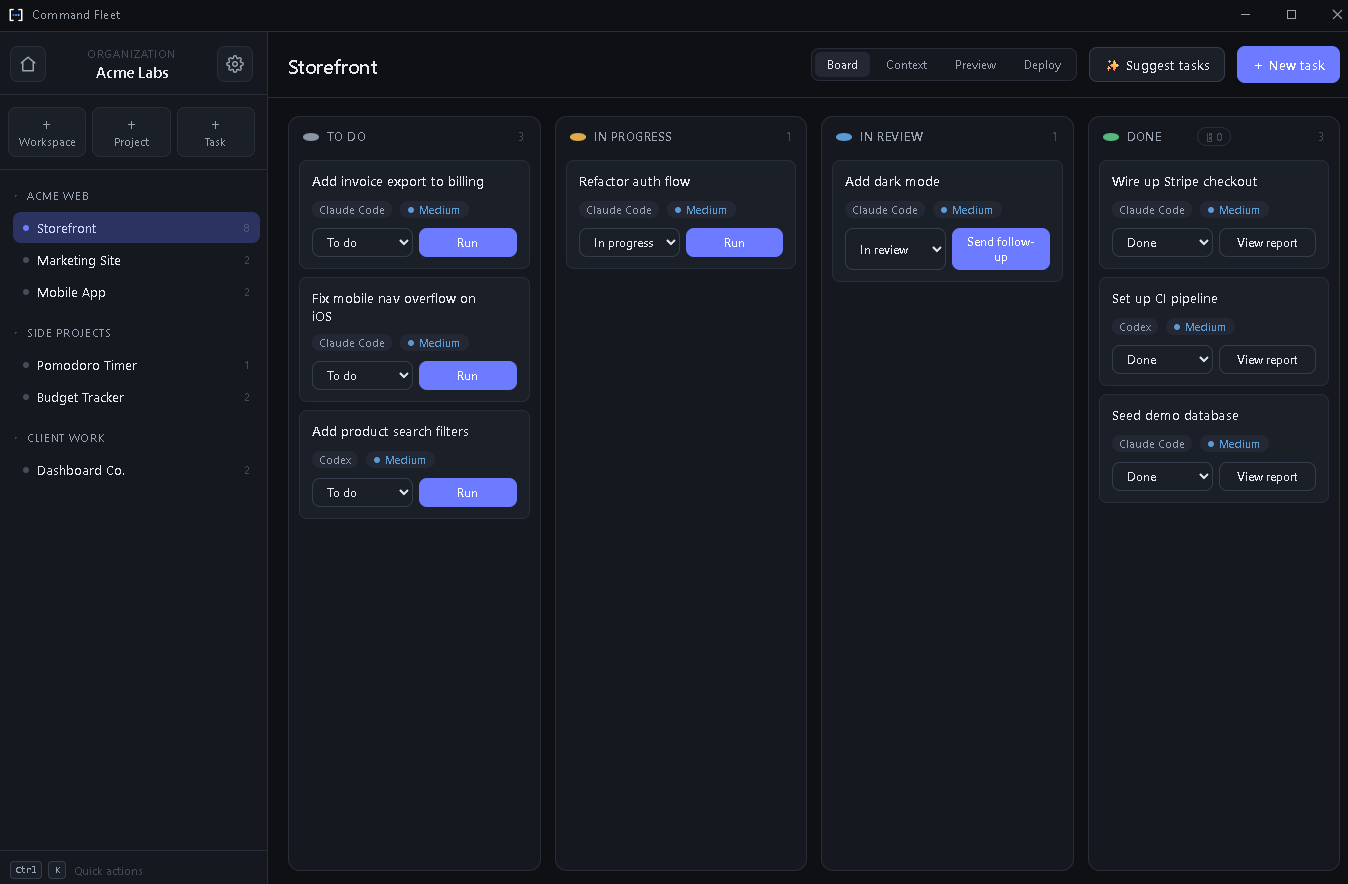
Workspaces → projects → tasks on a clean Kanban board. Drag, drop, and keep dozens of projects perfectly in order.
 Command Fleet
The local-first orchestrator that runs your whole dev portfolio through AI coding agents — dispatch, review, merge.
Organize work into workspaces, projects, and tasks. Hand any task to Claude Code, Codex, or Gemini and watch it work in an isolated git worktree with live output and in-app diff review.
14-day free trial · No credit card required · — for Windows
From a single desktop app, run a fleet of AI agents across every project you own — without losing track of a thing.
Workspaces → projects → tasks on a clean Kanban board. Drag, drop, and keep dozens of projects perfectly in order.
Hand any task to Claude Code, Codex, or Gemini and watch live output stream straight into the task history.
Every run gets its own branch and worktree, so parallel agents never clobber each other — or your working tree.
An in-app diff shows exactly what changed with +/- coloring. When it looks right, merge with a single click.
Send a follow-up — “now also fix X” — and the agent picks up right where it left off, in the same worktree.
Your projects, data, and keys stay on your computer. Nothing is uploaded — keys live in your OS credential vault.
You stay the reviewer. The agents do the typing.
Point Command Fleet at a folder, then describe what you want done in plain language.
Pick Claude Code, Codex, or Gemini and hit Run. It spins up an isolated worktree automatically.
Streaming output lands in the task history in real time, with a running indicator you can cancel anytime.
Inspect every change in-app, then merge the branch into your tree — or discard it cleanly.
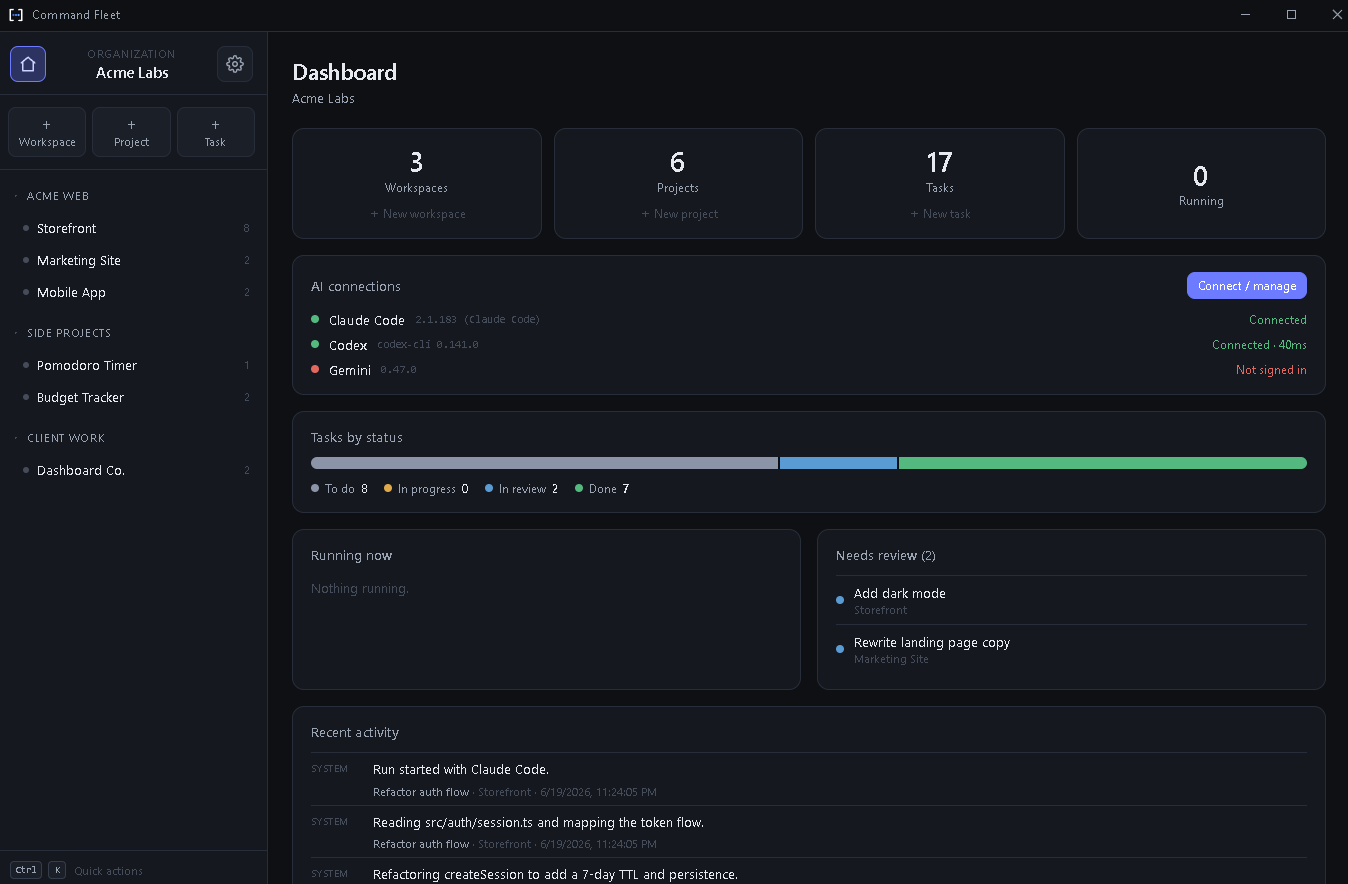
One home screen for every workspace, project, and task. See what's running, what's waiting on your review, and a live feed of everything your agents have done.
Start with a 14-day free trial. Cancel anytime — your local data is always yours.
For solo builders
Billed monthly
For small teams
Billed monthly
Running a larger org and need SSO or invoicing? We’ve got you — reach out anytime.
No. Command Fleet runs entirely on your machine. Your projects, tasks, and data never leave your computer — only the agent CLIs you choose talk to their own providers, exactly as they would in your terminal.
Claude Code, Codex, and Gemini. Dispatch any task to the agent you prefer, per task — and switch whenever you like.
Windows and the agent CLI you want to use on your PATH. Command Fleet handles the worktrees, streaming, diffing, and merging around it.
In your operating system’s credential vault — Windows Credential Manager — never in plain text and never uploaded.
Yes. Every run happens in its own isolated worktree on a dedicated branch, so your working tree stays untouched until you choose to merge.
Absolutely. Start with a 14-day free trial, cancel in a click, and keep full access to all of your local data.
Create your account and start your free trial — your portfolio is about to move a lot faster.
Create an account or sign in to download Command Fleet.
Your projects and data never leave your computer.
Head back to your account to manage your plan and download the app.
Manage your plan and download the app.
Windows installer (.exe) · Version latest
Your Pro subscription includes the desktop app and every update.