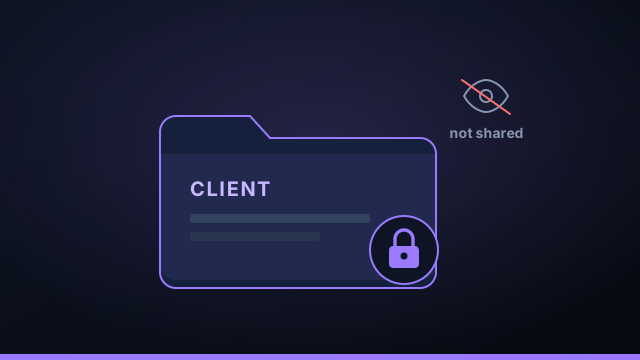
If you build software for clients, you will be asked the question sooner or later: "where does our code go when you use AI?" The wrong answer loses the contract. The right answer is short, true, and easy to give — if you've set things up local-first from the start.
The question clients ask
"Where does our code go?" is really three questions: does it leave our control, who else can read it, and what happens to it afterward? A confidential setup answers all three the same way — the code stays with you, only the model provider you've vetted sees the snippets it needs, and nothing persists on a third-party server.
Keep the source on your machine
The foundation is local-first execution. Your client's repository lives on your disk; the agent runs there. The only outbound traffic is the agent CLI talking to its provider, exactly as it would if you ran it by hand in a terminal — no extra hop, no intermediary holding the codebase.
Keep secrets out of prompts
Confidentiality isn't only about source — it's about credentials. Keep API keys in your OS vault and a per-project secrets vault that's excluded from every prompt. Agents receive pointers (the repo, the build folder), never the keys. A chatty or prompt-injected agent can't leak what it never had.
Confidentiality has two halves: the source the agent reads, and the secrets it never should. Local-first handles the first; a prompt-excluded vault handles the second.
A workspace per client
Run each client in its own workspace so their projects, context, and secrets are grouped and isolated. Nothing from one client's workspace bleeds into another's, which keeps your boundaries clean and makes "we keep your work separate" a literal, demonstrable fact.
A clean answer for NDAs
When the contract asks about subprocessors and data handling, "the code never leaves my machine; only the AI provider named in our agreement sees the snippets it needs" is a far easier clause to satisfy than explaining a web of intermediary SaaS tools. Local-first turns a compliance headache into one sentence.
The best confidentiality story is the one you can explain in a single sentence — and have it be true.
Language for contracts and NDAs
When a client's contract asks about AI tools and subprocessors, a clear, honest sentence beats a vague reassurance. Something like: "Source code is processed locally on the contractor's machine. The only third party that receives any portion of the code is the AI model provider explicitly named in this agreement, which receives only the specific snippets required to perform a requested task, transmitted directly by that provider's command-line tool. No intermediary service stores or retains the codebase." That's a statement a local-first setup lets you make truthfully. It maps cleanly onto the subprocessor and data-handling clauses most agreements already contain, and it's far easier to defend than trying to enumerate every cloud service a hosted tool routes your code through. Always have your client's legal team review the specifics, but the underlying architecture is what makes the language simple.
Per-client isolation in practice
Confidentiality isn't only about the outside world; it's also about keeping one client's work from bleeding into another's. The practical mechanism is a workspace per client. Each workspace groups that client's projects, context, and secrets, isolated from the rest — so there's no chance an agent working on Client A's code has Client B's repository or API keys in scope. Secrets live in a per-project vault, excluded from prompts, so even within a client the credentials an agent can see are the minimum it needs. That structure turns "we keep your work separate" from a promise into a demonstrable fact: you can show that each engagement is its own boundary, on your own machine, with nothing shared between them.
Proving confidentiality to a client
Sometimes a client wants more than your word. With a local-first setup you can actually show your work: the repositories live on your disk (you can demonstrate they're not uploaded anywhere), API keys live in your OS credential vault rather than a config file, and the only outbound traffic is the agent CLI talking to the provider named in your contract. You can point to the per-project secrets vault that's excluded from prompts and the workspace-per-client separation. Compared with a cloud tool — where you'd have to take the vendor's data-handling and retention policies on faith — being able to say "here is exactly where your code is and is not" is a meaningful trust advantage, and increasingly the deciding factor in which AI coding tools a security-conscious client will allow.
A client-confidentiality checklist for AI coding
Before you use AI coding agents on a client engagement, confirm each of these — they're what turn "we keep your code safe" from a claim into a fact:
- Source stays local — the client's repository lives on your machine, not uploaded to a third-party workspace.
- Only the contracted provider sees snippets — the agent CLI for the model named in your agreement, and nothing else.
- Secrets are vaulted and prompt-excluded — client API keys in your OS vault and a per-project secrets vault the model never sees.
- One workspace per client — projects, context, and secrets grouped and isolated, with no bleed between clients.
- No lock-in — the work is a git folder you can hand over or archive at any time.
- You can demonstrate it — show where the code is and isn't, rather than citing a vendor's policy.
Tick all six and you can sign almost any reasonable NDA with confidence. Command Fleet is local-first with a workspace-per-client model and a prompt-excluded secrets vault, so this checklist is satisfied by how the tool works rather than by extra process on your part.
Frequently asked questions
How do I keep client code confidential when using AI?
Use a local-first tool so the source stays on your machine, keep secrets in a vault that's excluded from prompts, and run each client in its own workspace. Then only the snippets the provider's CLI needs ever leave, exactly as if you typed them in a terminal.
Can I use AI agents under an NDA?
Generally yes, if the code stays on your machine and the only outbound traffic is to the AI provider you've already vetted in your contract. Local-first makes that a much simpler statement than explaining a chain of third-party services.
How do I separate one client's work from another?
Give each client its own workspace, so their projects, context, and secrets are grouped and isolated. Nothing from one client's workspace bleeds into another's.
Where do client API keys go?
In your OS credential vault, with a per-project secrets vault that's never included in a prompt. Agents get pointers, never the keys themselves.
Client work, kept confidential
Command Fleet keeps source on your machine, secrets out of prompts, and a workspace per client. Free for 7 days, no credit card.