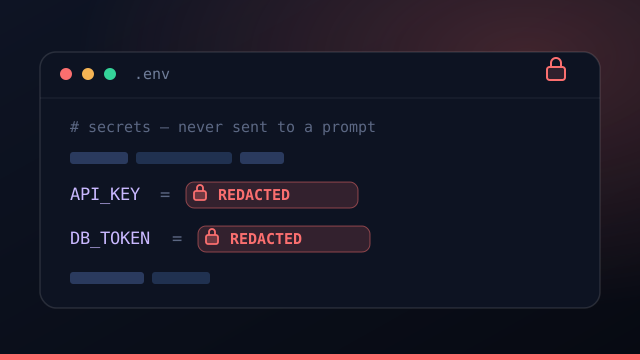
AI coding agents are powerful and occasionally careless. They read your files, run shell commands, and faithfully follow instructions in whatever text you hand them. That's exactly what makes them useful — and exactly why a few minutes of thought about secrets management pays off. The question isn't whether to let agents into your codebase; it's how to do it without handing over your keys.
This is a practical security guide for running AI coding agents on real projects: where API keys should live, how to keep secrets out of prompts, and how to design so that a misbehaving — or hijacked — agent can't do much damage.
The threat model: what can actually leak
Three things are worth protecting: API keys and tokens, your source code, and your infrastructure credentials. An agent can read anything in its context window and anything reachable from the shell it drives. So the rule of thumb is simple: if a secret is in the prompt or sitting in the working tree, treat it as exposed.
Rule 1 — Keep keys in the OS credential vault
A plaintext .env committed (or even just sitting) in the repo is the single most common leak. Move secrets into your operating system's credential vault — Keychain on macOS, Credential Manager on Windows, libsecret on Linux. The agent edits the working tree; the vault is not in the working tree, so the secret is simply never in the place the agent is touching.
The safest secret is the one the model never sees. Everything downstream of that principle gets easier.
Rule 2 — Separate pointers from secrets
Not everything an agent needs is sensitive. It needs pointers: the repo URL, the build folder, the name of a service. It does not need secrets: passwords, tokens, signing keys. Keep a per-project secrets vault that is excluded from every prompt, and pass only the pointers into context. The agent gets enough to do the work and nothing it could leak.
Rule 3 — Assume prompt injection
Prompt injection is when text an agent reads — a dependency's README, a web page, a GitHub issue — contains instructions that hijack its behavior. You cannot reliably filter your way out of it, so assume it will happen. The durable defense isn't a cleverer filter; it's least privilege. A hijacked agent that holds no secrets and works in a sandboxed branch has nothing valuable to exfiltrate and a small blast radius.
Rule 4 — Isolate every run
Run each task in its own git worktree on its own branch. An agent that goes sideways — by accident or by injection — touches only that branch, which you can discard without a trace. Isolation caps the blast radius of both honest mistakes and adversarial ones, and it's the same mechanism that lets you run many agents at once.
Rule 5 — Keep a human at the merge gate
Review the diff before it lands. A review step plus a verify gate — your build and tests — means nothing an agent wrote reaches your main branch, or production, without a human and a green build. Speed comes from parallelism and automation up front, not from skipping the gate at the end.
A quick security checklist
- Are API keys in the OS credential vault, not a
.envin the repo? - Is there a secrets vault that is excluded from every prompt?
- Does each run get its own isolated git worktree and branch?
- Is there a review-before-merge step with a verify gate?
- Do deploys wait for explicit credentials rather than guessing?
How Command Fleet bakes this in
Command Fleet is local-first by design: projects, data, and API keys never leave your machine. Keys live in your OS credential vault, a per-project secrets vault is never sent to any agent, every task runs in its own worktree, and an optional verify gate stands between "done" and "merged." The security model isn't an add-on — it's the architecture.
Treat every agent as capable, fast, and untrusted — then design so that trust is never required.
Frequently asked questions
Can an AI coding agent leak my API keys?
Only if it can see them. The fix is to never put secrets in a prompt: keep API keys in your OS credential vault and keep a per-project secrets vault that's excluded from every prompt, so a chatty or prompt-injected agent can't exfiltrate what it never had.
What is prompt injection and should I worry about it?
Prompt injection is when text the agent reads — a file, a web page, an issue — carries instructions that hijack it. Assume it will happen: the durable defense is least privilege and keeping secrets out of context, so a hijacked agent has nothing valuable to steal and a limited blast radius.
Where should API keys live instead of a .env file?
In your operating system's credential vault — Keychain, Credential Manager, or libsecret. A plaintext .env is readable by any process the agent can run; the OS vault keeps the secret out of the working tree the agent edits.
Is it safe to let an agent run unattended?
Yes, if every run is isolated in its own git worktree, secrets are excluded from prompts, and a review step sits before merge. Isolation plus a human gate is what makes unattended runs safe rather than scary.
Security by design, not by hope
Command Fleet keeps keys in your OS vault, secrets out of every prompt, and a human at the merge gate. Free for 7 days, no credit card.