Per-task agent
Claude Code, Codex, or Gemini — chosen per task and switchable anytime. Set a specific model override per run.
Command Fleet wraps the agent CLIs you already use in a real operations layer — portfolio organization, safe parallel runs, review-before-merge, and an autonomous build loop. Here's the whole picture.
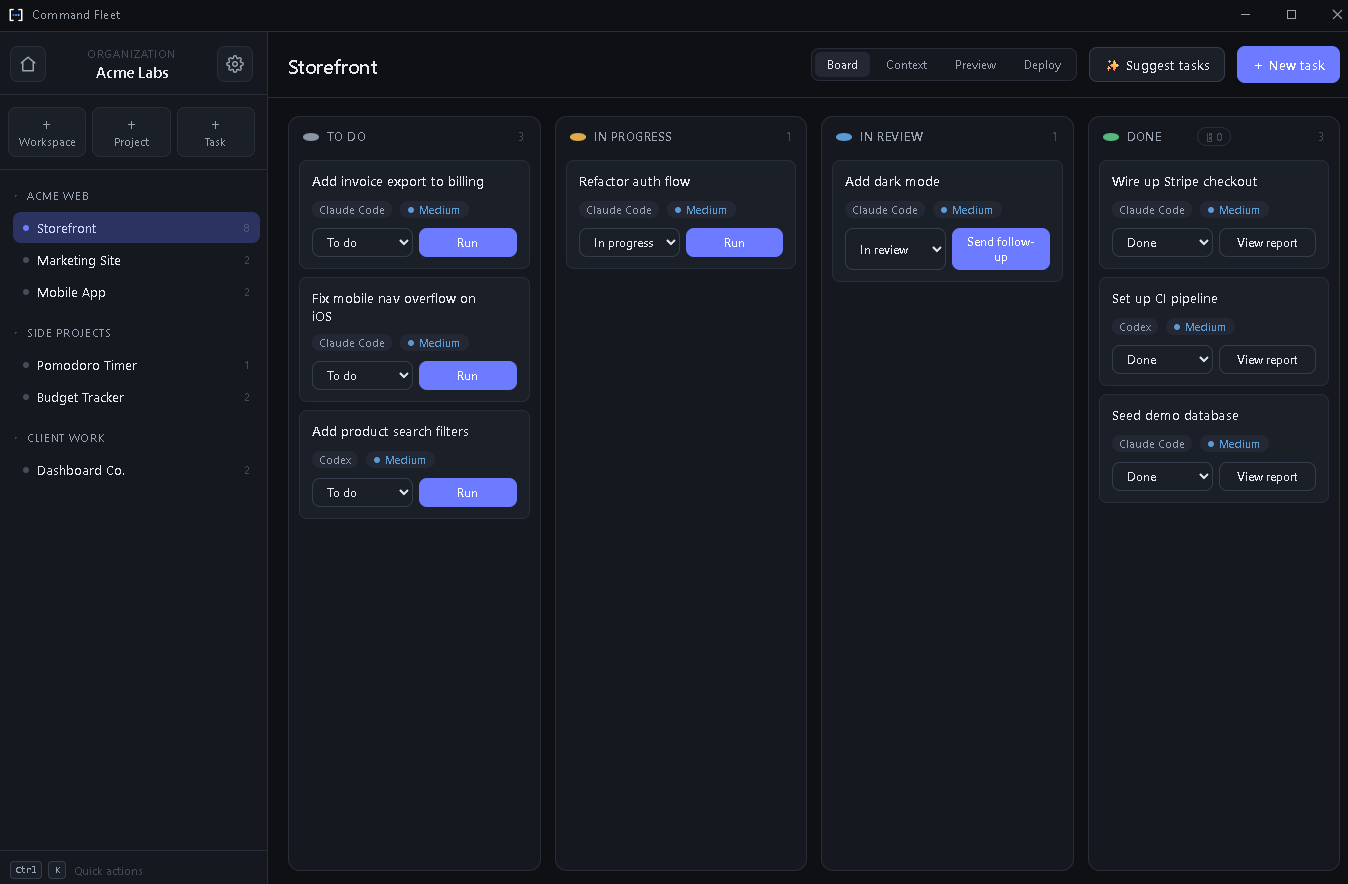
Structure your work the way it actually exists: an organization holds workspaces, workspaces hold projects, projects hold tasks. Every project gets a clean Kanban board — To do, In progress, In review, Done.
Pick the right model for the job, every time.
Claude Code, Codex, or Gemini — chosen per task and switchable anytime. Set a specific model override per run.
Run plan-only to investigate without edits, or full build. A full-access toggle lets trusted runs skip per-command approval.
Watch the agent work in real time as output streams into the task history, with a running indicator you can cancel.
Send a follow-up — “now also fix X” — and the agent picks up in the same worktree where it left off.
Attach screenshots, specs, or logs to a task; the agent is handed the file paths so it can read them for context.
Reusable snippets you drop into any task by typing @name — your bug-report or release-notes boilerplate, once.
Every run happens in its own git worktree on a dedicated branch. Spin up five agents across five projects and none of them touch your working tree until you say so.
pnpm install) prepares each fresh worktreebuild & test is routed back to review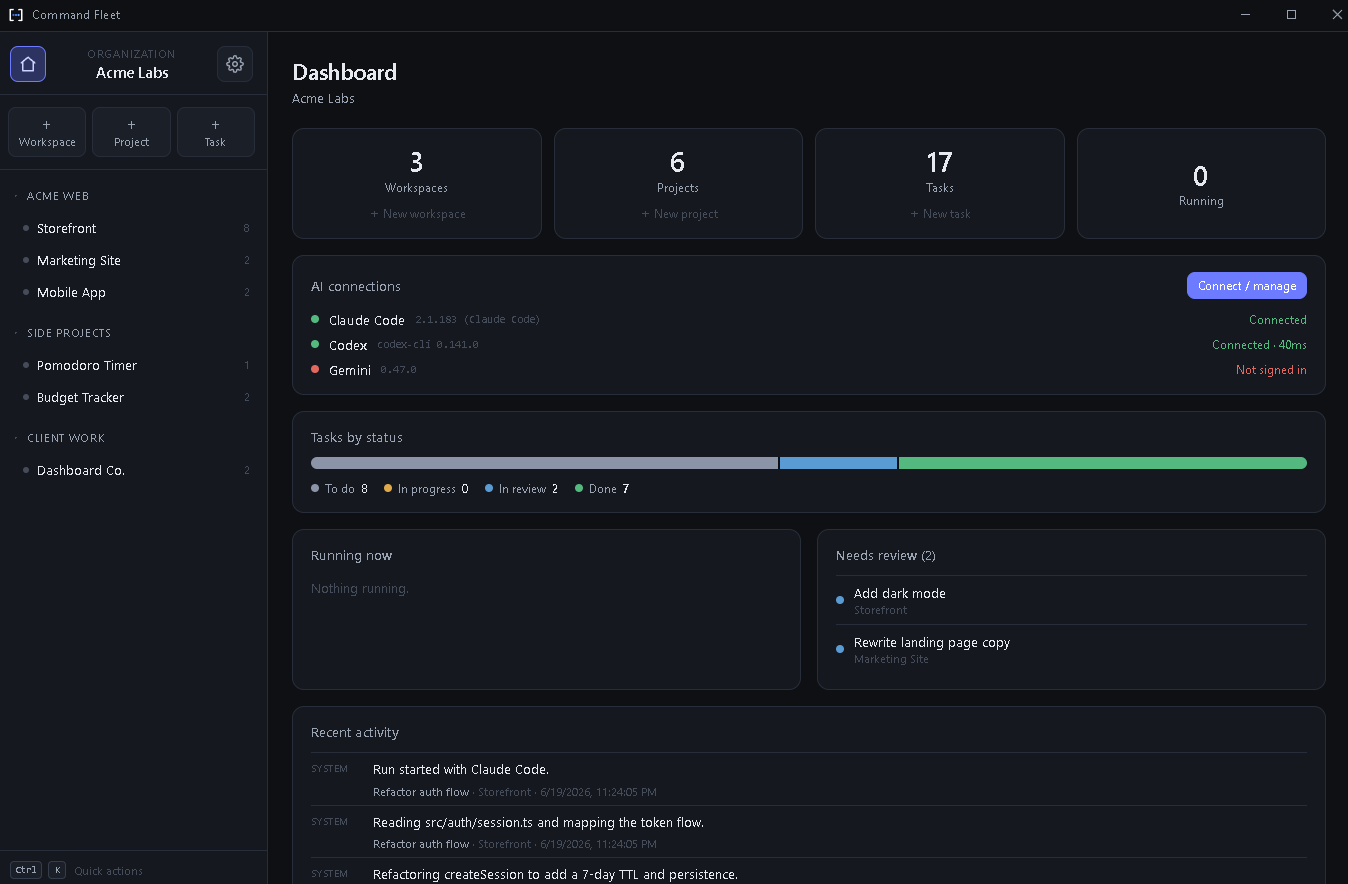
A manager agent oversees a whole workspace and delegates real work.
Describe an app; it creates the project from a stack pack and wires the basics.
Decomposes the build into an ordered task graph with dependencies between tasks.
A scheduler runs ready tasks in parallel, capped for safety, each in its own worktree.
Failed work is auto-retried, then escalated to you; finished branches auto-merge.
Run any project's dev server inside the app, browse its files, and ship to production with a one-button pipeline — no leaving Command Fleet.
Preview and Deploy are the same engine pointed at different commands — declared in a small manifest the AI can write or you can hand-edit. What you preview is what you ship.
Start your 14-day free trial — no credit card required.