An AI agent is only as productive as the project it lands in. Drop one into a repo with no build command, secrets scattered in a .env, and no idea how to run the app, and you'll spend the first three tasks debugging the setup instead of shipping. Spend ten minutes onboarding the project properly and every task after starts from a working state.
The three things a project needs
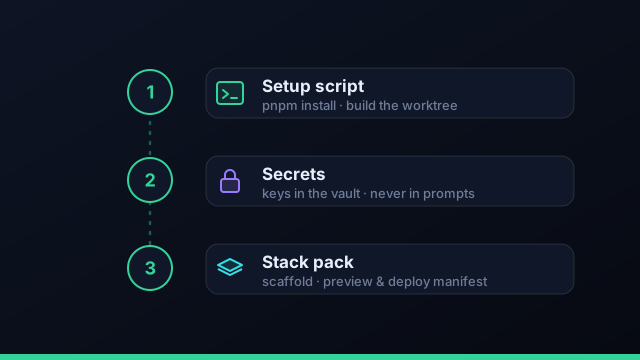
Agents become productive immediately when three things are in place: a way to get a fresh checkout building, a safe home for secrets, and a known way to run and ship the app. Get these right once and they pay off on every future run.
1. A setup script
Because each task runs in its own clean git worktree, every run starts from a fresh checkout — which means it needs to install and build before it can do anything. A setup script (often as simple as pnpm install plus a build step) guarantees that. Without it, every parallel agent re-discovers your toolchain the hard way.
2. Secrets in the vault
Move secrets out of the repo and into your OS credential vault, with a per-project secrets vault that's excluded from prompts. Keep pointers (repo URL, build folder, service names) separate from secrets (tokens, passwords). The agent gets what it needs to work and nothing it could leak.
If onboarding involves pasting a key anywhere an agent can read it, stop. Keys go in the vault; tasks get pointers.
3. A stack pack or manifest
Finally, give the project a known shape for running and shipping: a stack pack, or a preview/deploy manifest. This is how an agent knows the build command, the output, and the deploy target — and because preview and deploy share the manifest, what gets previewed is what would go live.
A first task to prove it
Validate the setup with a tiny task before anything ambitious: "add a health-check route and a test for it." If a fresh worktree installs, builds, passes the verify gate, and merges cleanly, your onboarding is solid and you can dispatch the real work with confidence.
Ten minutes onboarding a project saves you debugging the setup on every run for the life of the repo.
A project onboarding checklist for AI agents
Before you dispatch real work, run through a short checklist so the first task starts from a working state. Is there a setup script that installs dependencies and builds a fresh checkout? Are secrets in your OS credential vault or a per-project secrets vault rather than a committed file, and excluded from prompts? Is there a stack pack or preview/deploy manifest so the agent knows how to run and ship the app? Do you have a verify gate — the build and test command — defined so finished work is checked automatically? And have you confirmed a fresh git worktree builds cleanly on its own? Tick those five and an AI coding agent is productive from its very first task instead of spending your first three runs debugging the setup.
Onboarding a monorepo or multiple repos
Real portfolios are rarely one tidy repo. For a monorepo, the key is a setup script that bootstraps the whole workspace and a clear sense of which package a given task touches, so the agent isn't re-reasoning about the entire tree on every step — point each task at the relevant package. For multiple repos, model them as separate projects inside a workspace (one workspace per client or product line), each with its own setup script, secrets, and board. That structure keeps context, credentials, and review queues cleanly separated per project while still rolling up to a single portfolio dashboard. Either way, the principle is the same: give every project a known way to install, build, and ship, and the agents inherit it.
Common onboarding issues and fixes
A few issues come up again and again. A fresh worktree that won't build almost always means the setup script is missing a step (a native dependency, an env file, a generated client) — fix the script once and every future run benefits. An agent that can't find config usually needs a pointer in the task (which folder, which command), not a paste of the file. A task that touches too much is a scoping problem; split it. And a secret that leaked into a prompt means a pointer and a secret got mixed up — move the secret to the vault and pass only the pointer. Validate the whole setup with one tiny task ("add a health-check route and a test") before anything ambitious; if it installs, builds, passes the gate, and merges cleanly, your onboarding is solid.
Your first week running agents on a new project
Once the project is onboarded, a gentle ramp builds confidence fast. Day one: validate the setup with a trivial task — "add a health-check route and a test" — and confirm a fresh worktree installs, builds, passes the verify gate, and merges cleanly. Days two and three: dispatch a few small, well-scoped real tasks one at a time, reviewing each diff, so you learn how each agent handles your codebase. Mid-week: start running two or three in parallel across the project, leaning on the isolated worktrees and the review queue. By the end of the week: hand the workspace manager a multi-step build and let the autonomous loop plan and run it while you review. The point of the ramp is to let the tooling earn your trust on small stakes before you delegate big ones — and because every run is isolated and gated, the downside of an early misfire is just a discarded branch. After a week, dispatching AI coding agents on that project feels routine.
Frequently asked questions
How do I set up a project for AI agents?
Three things make agents productive immediately: a setup script so a fresh worktree installs and builds, secrets stored in your OS vault rather than the repo, and a stack pack or preview/deploy manifest so the agent knows how to run and ship the app.
What is a setup script and why does it matter?
It's the command that prepares a fresh checkout — usually installing dependencies and building. Because each agent task runs in its own clean worktree, a setup script ensures every run starts from a working state instead of a broken one.
Where should project secrets live?
In your OS credential vault, with a per-project secrets vault that's excluded from prompts. Keep pointers (repo URL, build folder) separate from secrets (tokens, passwords) so agents get what they need and nothing they could leak.
How do agents know how to build and deploy my project?
Through a stack pack or a preview/deploy manifest — a known description of how the project runs and ships. Preview and deploy share the same manifest, so what an agent previews is what would go live.
Onboard once, ship on every run
Command Fleet runs each task in a fresh worktree with your setup script, vaulted secrets, and a stack pack. Free for 7 days, no credit card.