Portfolio control tower
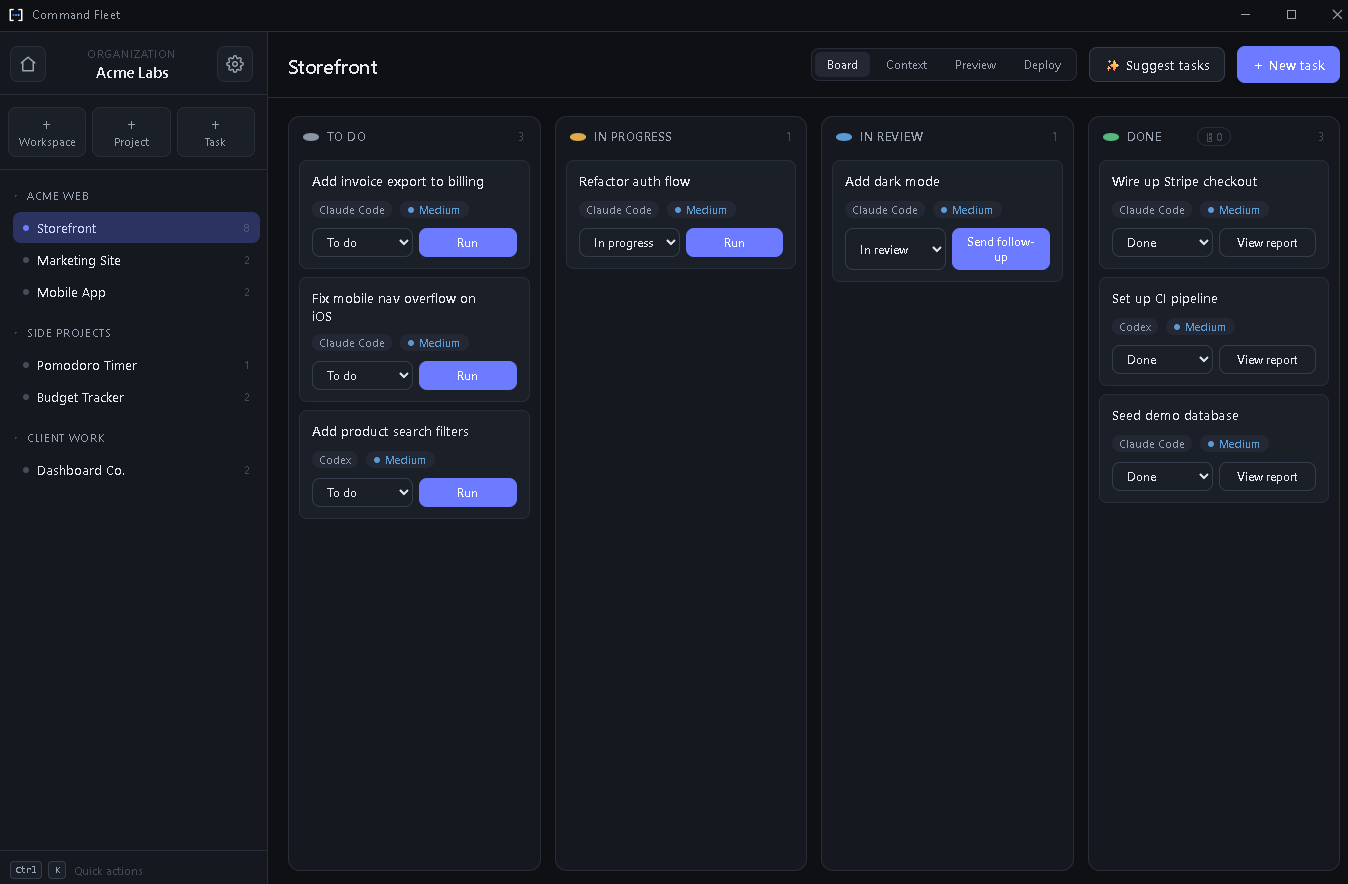
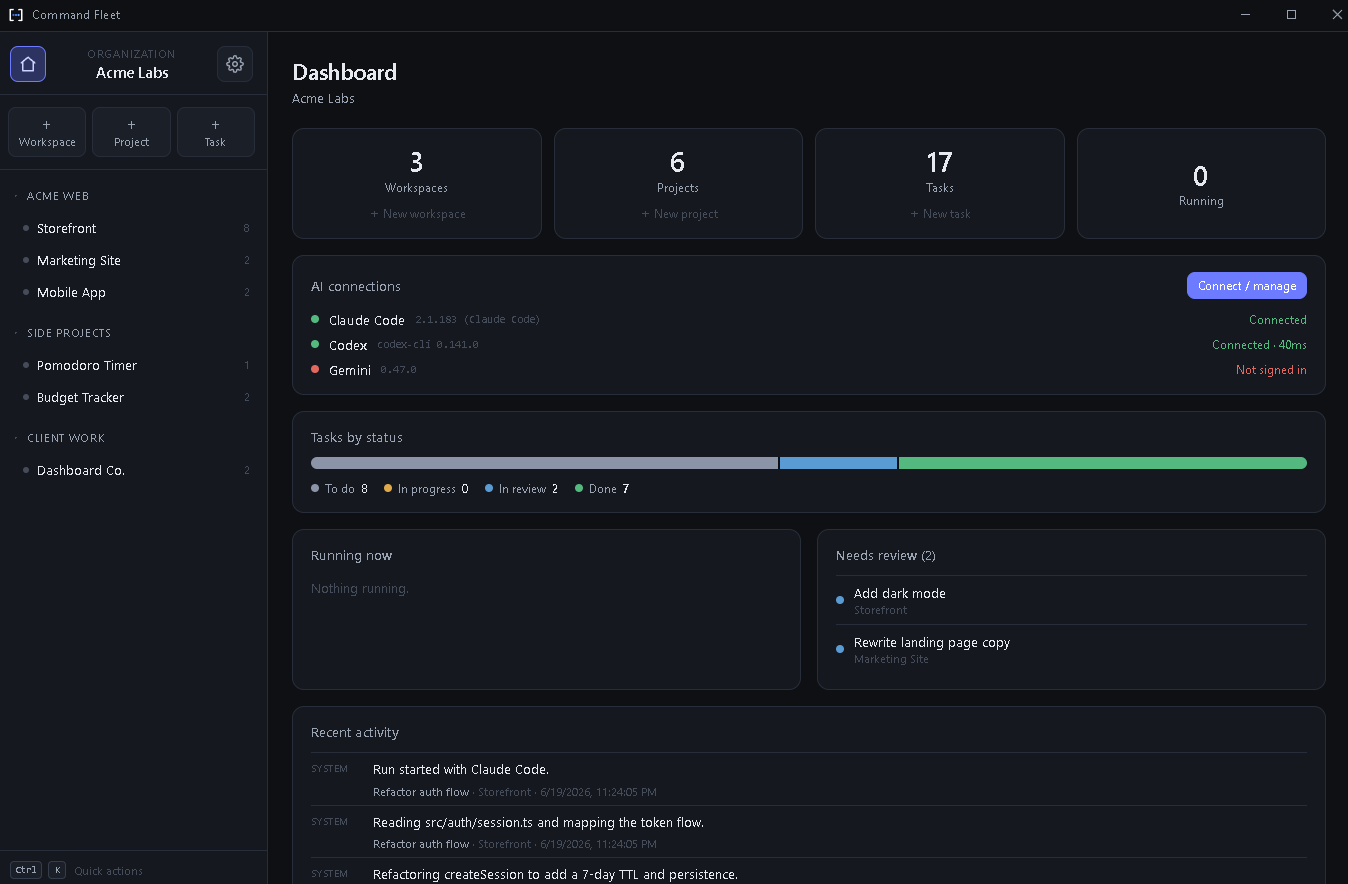
Organizations → workspaces → projects → tasks on one Kanban board. Run dozens of apps without losing the thread.
Command Fleet is the local-first command center for builders running many projects at once. Dispatch any task to Claude Code, Codex, or Gemini — then review the diff and merge.
Founders, indie studios, and agencies don't have one app — they have a portfolio. Switching IDEs, juggling terminals, and losing track of what each agent did doesn't scale. Command Fleet is the layer above the agents: one place to run, watch, and ship them all.
Six things no single-repo assistant gives you.
Organizations → workspaces → projects → tasks on one Kanban board. Run dozens of apps without losing the thread.
Claude Code, Codex, or Gemini — choose the right one for each job and switch whenever you like. No lock-in.
Every run gets its own branch and git worktree, so parallel agents never clobber each other — or your working tree.
An in-app diff shows exactly what changed with +/- coloring. When it looks right, merge with one click — or discard cleanly.
Describe an app in a sentence. The workspace manager scaffolds it, plans the tasks, builds, reviews, merges, and deploys.
Projects, data, and API keys stay on your computer. Nothing is uploaded — keys live in your OS credential vault.
Most tools manage a single repo, or live in the cloud. Command Fleet is the only one built for a whole portfolio, autonomously, on your own machine.
Tell the workspace manager “build me a waitlist app on Firebase.” It scaffolds the project from a stack pack, breaks the work into an ordered task graph, and dispatches each task to an agent in its own worktree.
You stay the reviewer. The agents do the typing.
Point Command Fleet at a folder and describe what you want in plain language.
Pick Claude Code, Codex, or Gemini and hit run. An isolated worktree spins up automatically.
Streaming output lands in the task history in real time, cancellable anytime.
Inspect every change in-app, then merge the branch — or discard it cleanly.
| Capability | Command Fleet | Single-agent GUIs | Cloud platforms |
|---|---|---|---|
| Manage many projects at once | Yes | No | Limited |
| Agent-agnostic (Claude / Codex / Gemini) | Yes | Usually one | Locked |
| Runs fully local / private | Yes | Yes | No |
| Autonomous plan → build → deploy | Yes | No | Yes |
| Bring your own subscriptions | Yes | Yes | Pay per platform |
See the full breakdown on the comparison page.
“I went from babysitting one terminal to running five projects from a single board. The review-before-merge step is what makes it safe.”
Indie founder · 7 live apps
“Local-first was the dealbreaker for our agency. Client code never touches a cloud we don't control, and we still get autonomous builds.”
Studio lead · dev agency
“Switching agents per task is underrated. Cheap model for boilerplate, the smart one for the gnarly refactor — all in one place.”
Solo developer · SaaS portfolio
No. Command Fleet runs entirely on your machine. Your projects, tasks, and data never leave your computer — only the agent CLIs you choose talk to their own providers, exactly as they would in your terminal.
Claude Code, Codex, and Gemini — chosen per task, switchable anytime. You bring your own subscriptions or API keys, stored in your OS credential vault.
Windows and the agent CLI you want to use on your PATH. Command Fleet handles the worktrees, streaming, diffing, merging, and deploys around it.
Yes — you use your existing Claude, Codex, or Gemini plan. Command Fleet is the orchestration layer on top, so you're never double-charged for model usage.
Start your 7-day free trial — no credit card. Your portfolio is about to move a lot faster.